Export Files
Telegram Explorer also allow you to export all downloaded files from all groups. It is important to highlight that the export process automatically prevents duplicate export of files based on their md5 hash signature.
This feature is especially usefully for malware analysis and video content analysis.
Full Command:
python3 -m TEx export_file --config CONFIGURATION_FILE_PATH -report_folder REPORT_FOLDER_PATH --group_id * --filter * --limit_days 3 --mime_type text/plain
Basic Command:
python3 -m TEx export_file --config CONFIGURATION_FILE_PATH -report_folder REPORT_FOLDER_PATH --group_id * --limit_days 3 --mime_type text/plain
Parameters
- config > Required - Created Configuration File Path
- report_folder > Required - Defines the Report Files Folder
- group_id > Optional - If present, Download the Messages only from Specified Groups ID's
- filter > Optional - Simple (Comma Separated) FileName String Terms Filter. Ex: malware, "Bot net"
- limit_days > Optional - Number of Days of past to filter the Messages
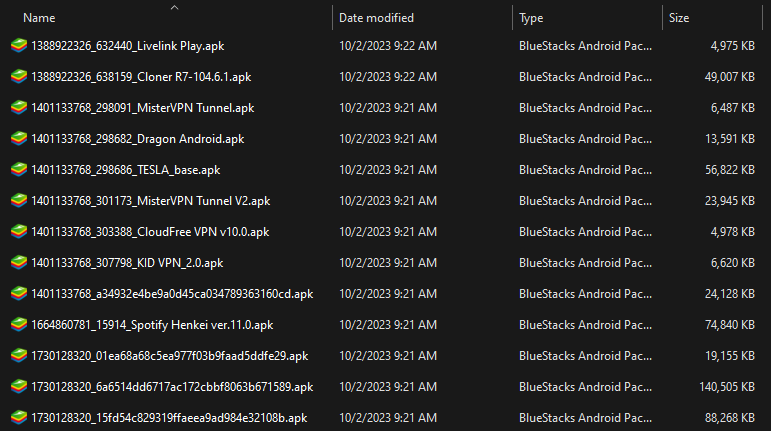
- mime_type > Optional - File MIME Type. Ex: application/vnd.android.package-archive
Output Example Using "application/vnd.android.package-archive" as mime_type